One rental, both seats.

What your customer sees, and what you see. Every screen on this page is the real product.

Part 1

What your customer sees

Booking

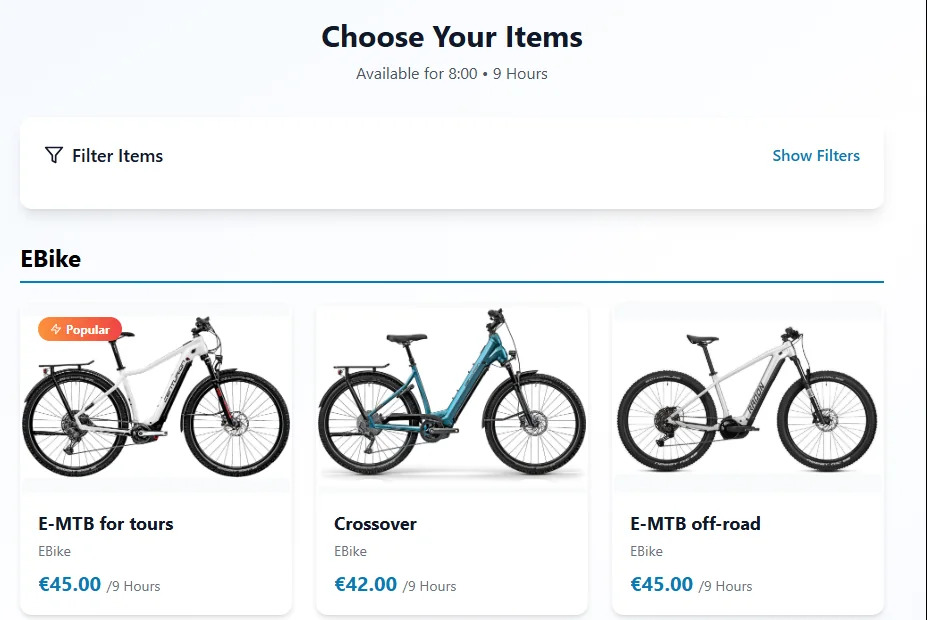
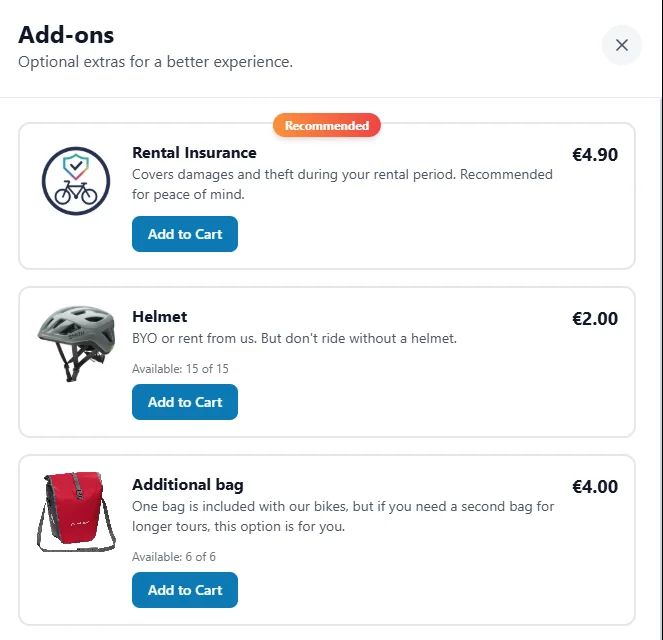
Start now or reserve for later. Date, duration, the bikes by size with live availability, add-ons like insurance, a helmet or a child seat, and the final price before checkout. Card, Apple Pay, Google Pay and other methods; the deposit is held automatically.

Afterwards the customer extends, cancels or switches to another bike on the same page, without contacting you.

Digital waivers, for operators who need a signed agreement at booking, are added on request.
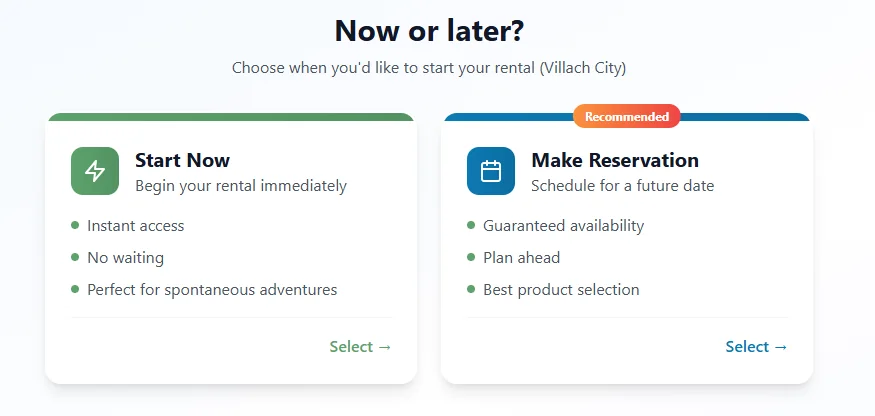
Store: choose Start Now for an immediate rental or Make Reservation for a future date
Store: choose your items, e-bikes and standard bikes with prices per rental period
Store: add-ons such as rental insurance, helmet, additional bag and child seat

Delivery, chosen in checkout

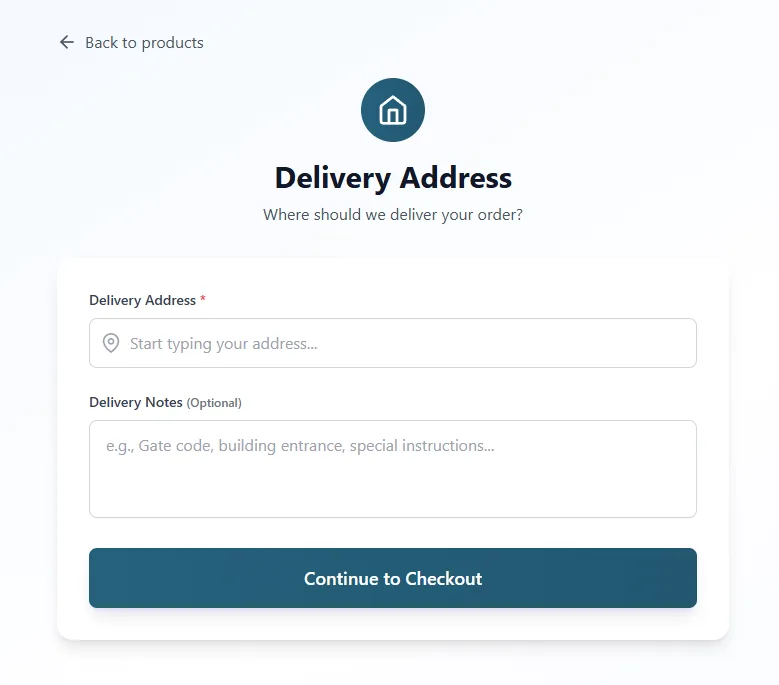
If you deliver, the customer enters the address with autocomplete and adds what your driver needs to know: gate code, building entrance, where to leave the bikes.

Delivery is priced the way you set it up — by travel time, by distance, by distance bands or by delivery area — and confirmed with the booking, so nothing is negotiated by phone later.

Customer delivery address step with address field and delivery notes

The messages

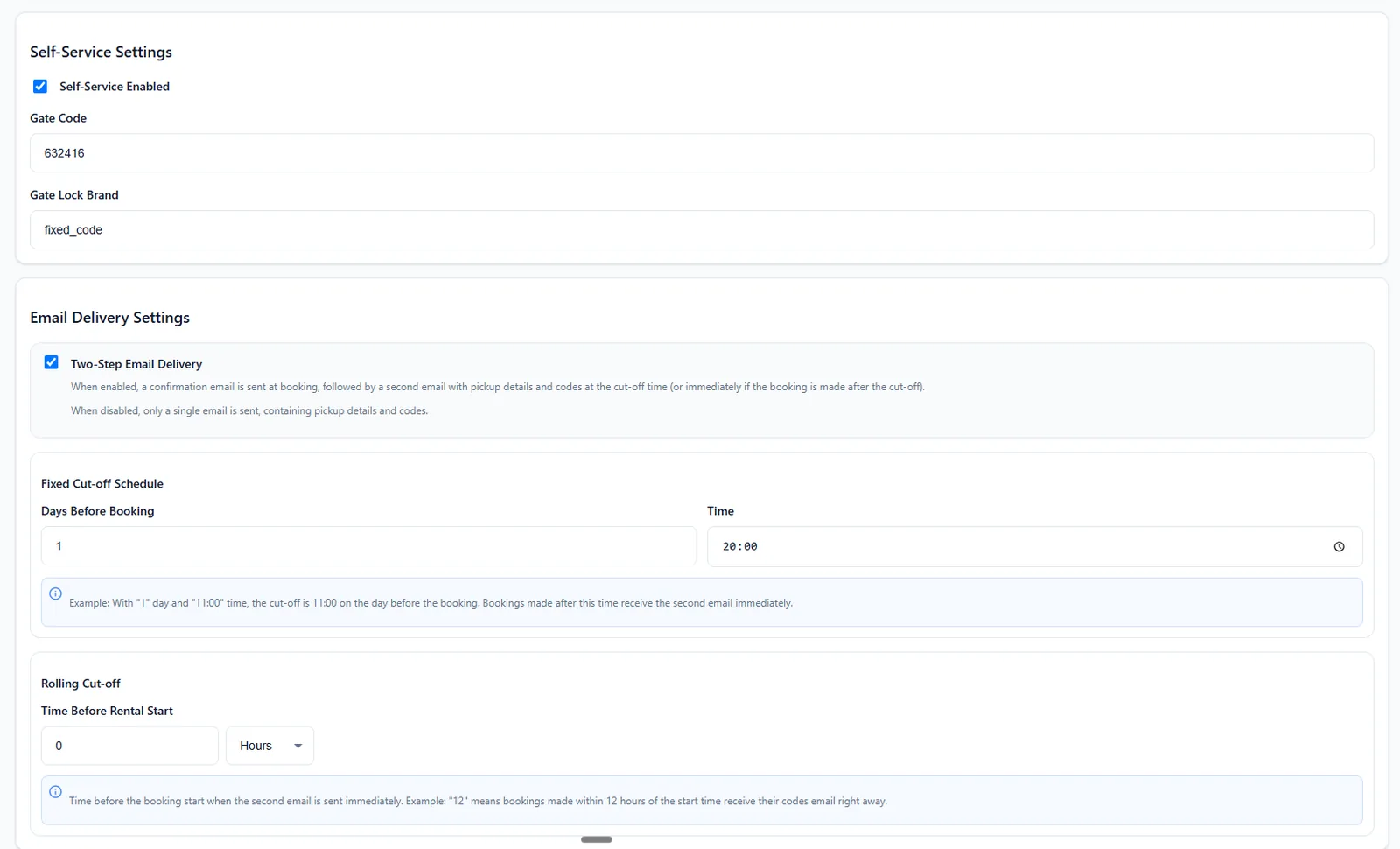
A confirmation at booking. Then, at the cut-off you set — the evening before, or right away for last-minute bookings — a second email with the pickup details and an SMS with the codes: one for the door, one per bike, valid for the booked time.

Email, SMS or WhatsApp, in up to three languages. Every message is a template you edit, and further messages run on triggers you set — a reminder 30 minutes before the end of the rental, for example.

"We just picked up a bike spontaneously, right at the door. Self-service is really practical and fast. You get detailed instructions right after paying. And the best part: you can even rent on Sundays until 10 pm!"
A. S., Google review, Click&Bike Villach (translated from German)
Lakeside Bike RentalFri 20:00
Your bike lock codes are here. Details by email. Door code: 632416. Bikes: #19: 5643, #20: 7665. 24.10.2026, 09:00 – 25.10.2026, 18:00
A typical codes SMS. The wording is yours.

Changes without a phone call

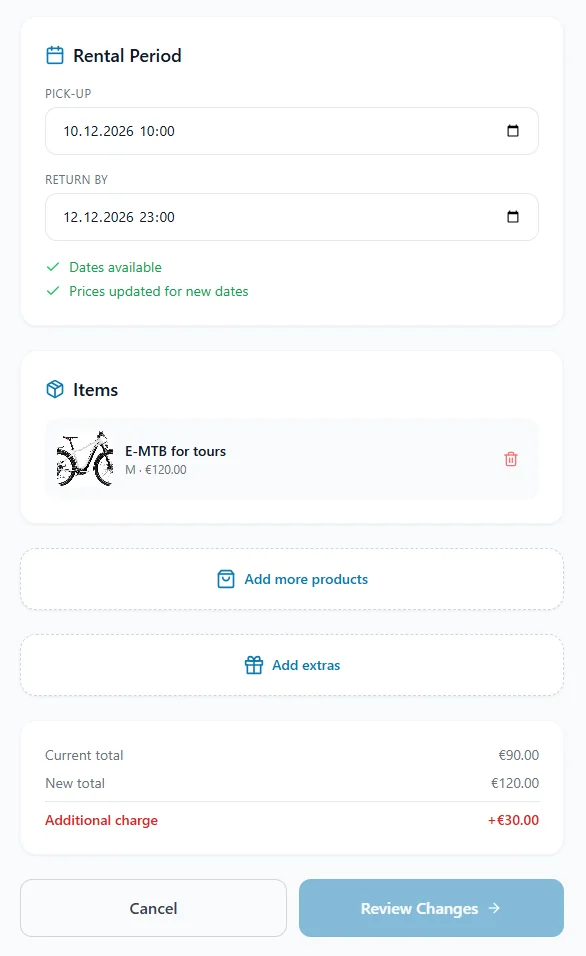
From the link in their confirmation, customers change the pickup date, extend, add another bike or an add-on, or cancel. Availability and price update as they go; the difference, if any, is charged, and you see the new booking in your list.

What used to be a call to the shop is now a form the customer fills in.

Manage booking: change rental period, items, add products or extras, see the new total and review changes
Part 2

What you see

Bookings, grouped by day

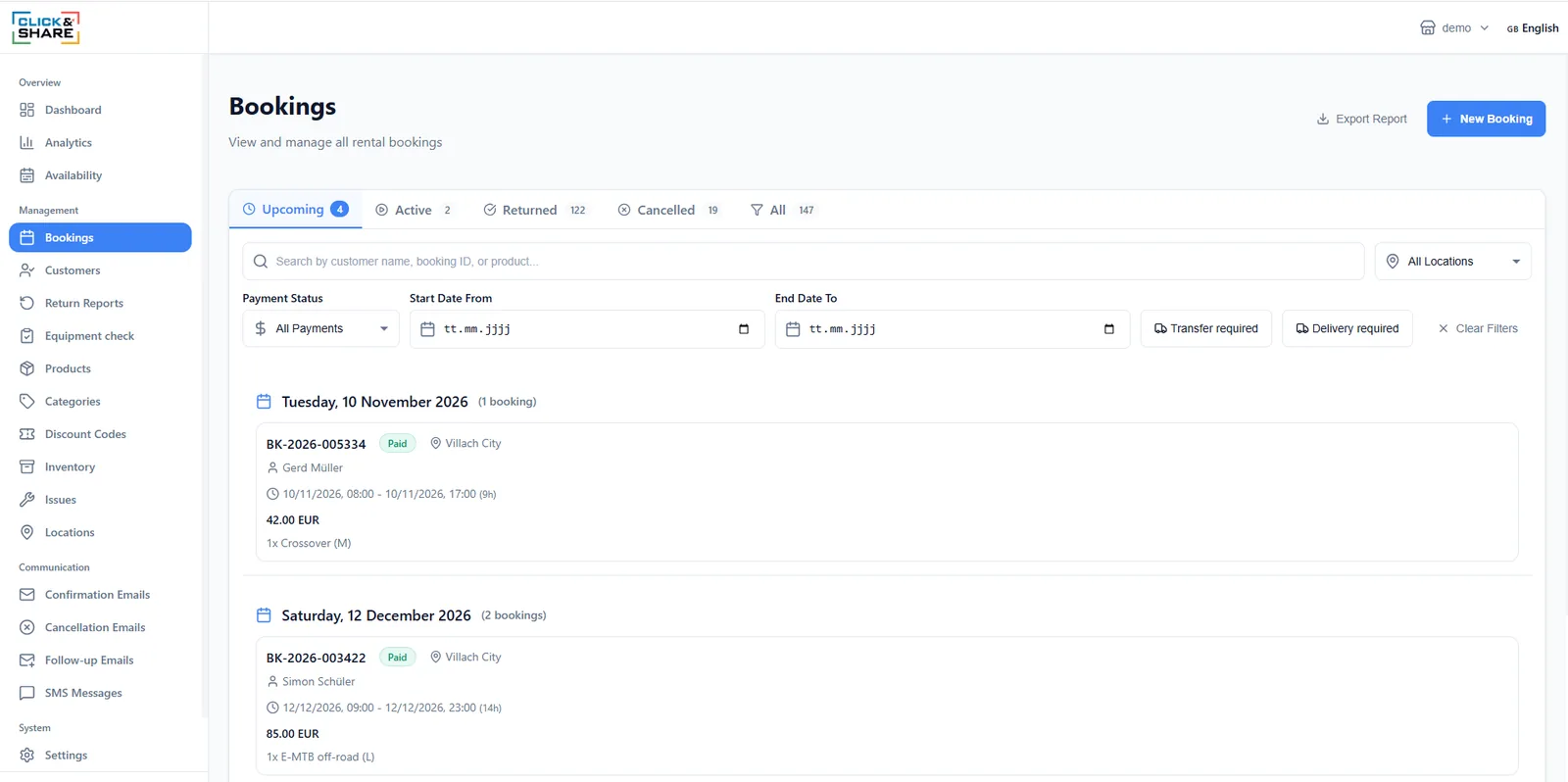
Upcoming, active, returned and cancelled, grouped by day and filtered by location, payment status and dates. Two filters you'll use every morning in season: delivery required, and transfer required for bikes that have to move between locations.

Walk-in customers go in with New booking. Export report gives you the list as a file.

Bookings list with upcoming, active, returned and cancelled tabs, filters and booking cards

Everything about one rental in one place

General, items, financial, notes, every email and message that went out, the return report and the activity log. Eight tabs, one booking.

When a customer calls, you're looking at the answer before they finish the question.

Booking detail header with status, payment and the eight tabs

Return reports

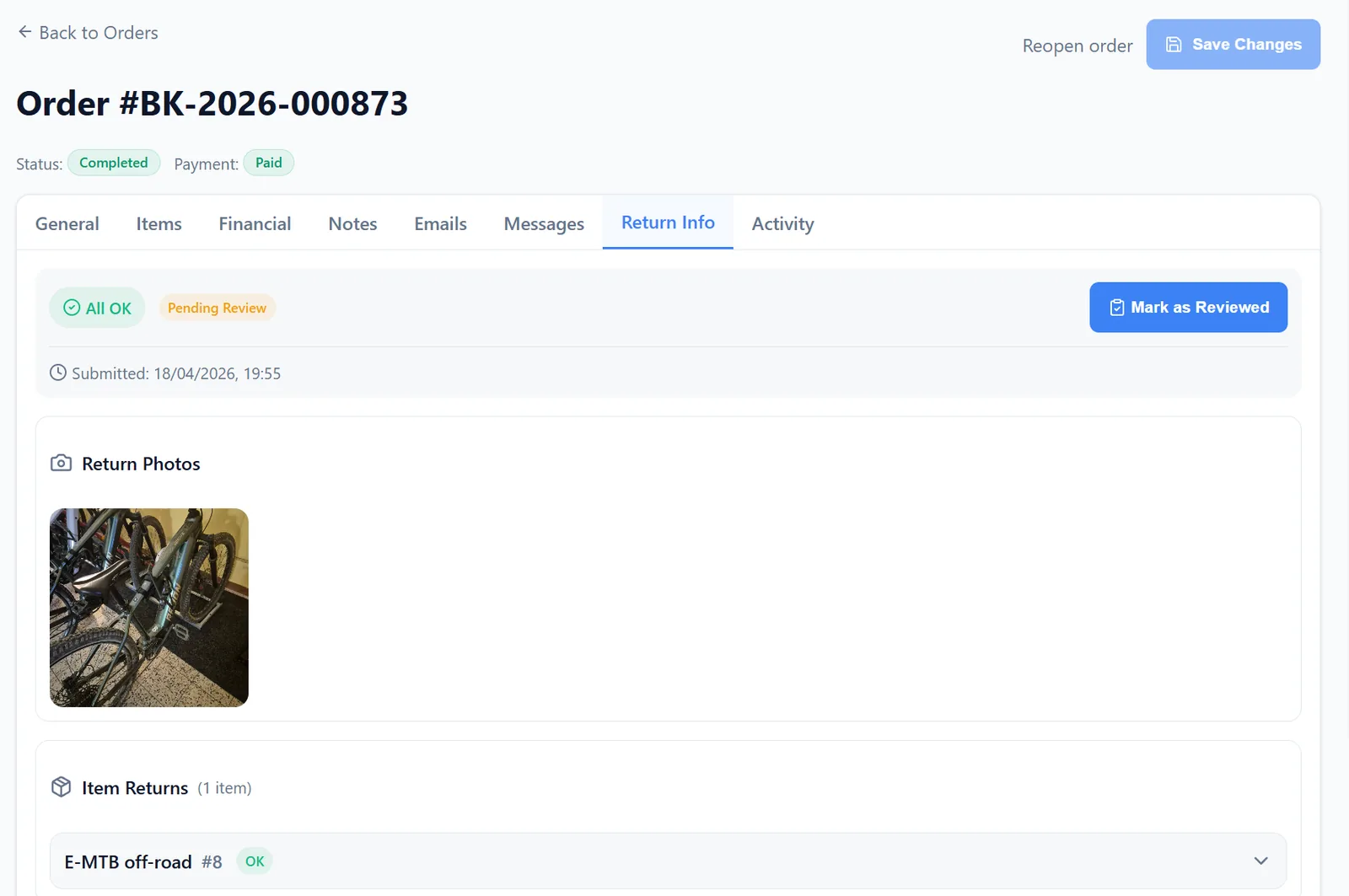
At the end of the rental the customer photographs the bikes and confirms the condition of each item. You see it as a return report: the photos, an OK or a problem per item, and a review status.

One click marks it as reviewed. A problem becomes an issue.

Return Info tab of a booking: all OK, pending review, return photos and item returns

Issues, from reported to resolved

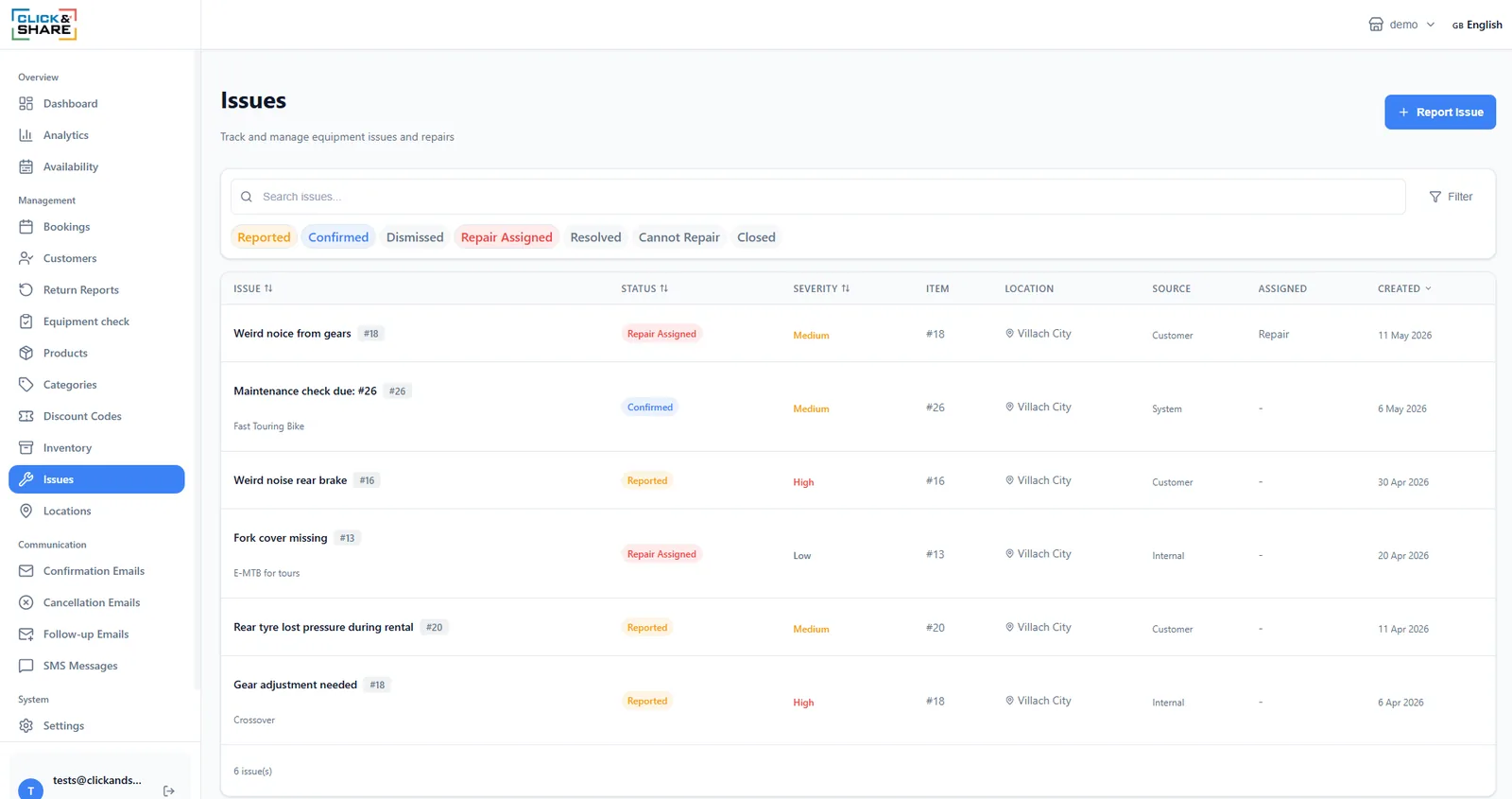
A problem reported by a customer or noticed by your team becomes an issue with a severity, the item, the location and an owner. It moves through reported, confirmed, repair assigned and resolved, or is dismissed, marked cannot repair, or closed.

The system raises its own: a maintenance check that's due appears as an issue, so nothing depends on someone remembering.

Issues list with status filters, severity, item, location, source and assignee

Numbers on screen, exports for the books

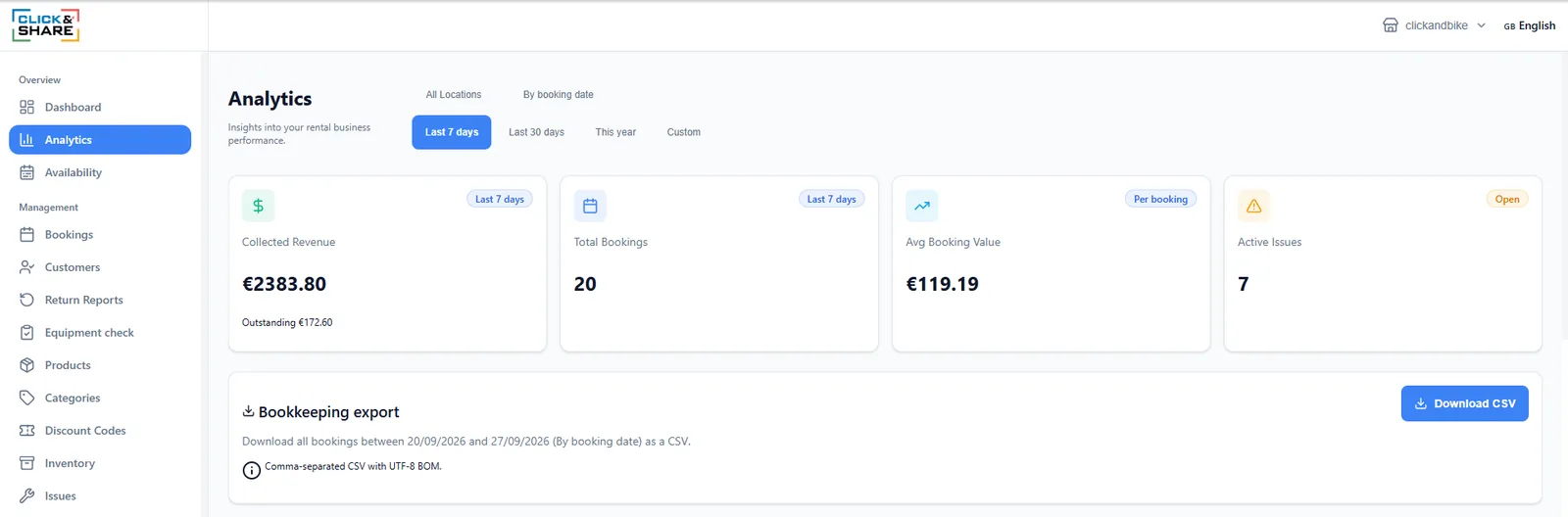
Collected revenue and what's still outstanding, bookings, average value and open issues for any period and location, plus revenue over time.

The bookkeeping export downloads every booking in a date range as CSV, ready for your accountant.

Analytics with collected revenue, bookings, average value, active issues and the bookkeeping CSV export

Access, when nobody is there

Self-service is switched on per location. Each location has its own setup: the door lock and its brand, the codes for the bikes, and the moment the codes go out — a fixed cut-off the evening before, or a rolling one a set number of hours before the start.

Ten lock brands, including offline PIN locks that need no Wi-Fi. Every opening is logged with the customer's name.

Location settings: self-service enabled, gate code, lock brand, two-step email delivery with fixed and rolling cut-off

Also in the sidebar

Now book one yourself.

The live demo puts you in the customer's seat: book, receive the code, see what the operator sees. Three minutes, no signup. A test coupon at checkout makes it free.